
RidgeRun's Bird’s Eye View (BEV) product




Overview of RidgeRun Bird's Eye View
Bird’s Eye View (BEV) is a software project by RidgeRun that generates a seamless aerial view of a scene from a series of cameras. BEV is designed to be portable and run on a variety of platforms. It uses hardware accelerators on board to generate the scene in real-time.
BEV software transforms images from multiple standard perspective cameras into a unified top-down view using perspective transformation algorithms. The process begins with raw camera feeds captured by onboard sensors, which are then processed through RidgeRun’s image transformation pipeline running on embedded hardware.
A configuration file in JSON format defines the layout and calibration parameters, ensuring accurate alignment. The result is a seamless, real-time bird’s-eye visualization, ideal for applications in robotics, automotive surround view systems, and embedded AI.
Examples
BEV can process multiple streams, for the performance we used from 4 to 6 streams in HD and 4k.
All the examples are using the performance mode with jetson_clocks.sh
- HD: 1920x1080 with WIDTH=1920 and HEIGHT=1080.
- 4K: 3840X2160 with WIDTH=3840 and HEIGHT=2160.
- FILESRC# as the src video.
- CALIB_FILE as the calibrations's JSON file.
- FILESINK as the name of the output video.
The pipeline for 4 streams is the following.
gst-launch-1.0 -e  bev name=bev0 calibration-file=$CALIB_FILE \
filesrc location=$FILESRC0 ! qtdemux ! h264parse ! nvv4l2decoder ! nvvidconv ! "video/x-raw,format=RGBA, width=$WIDTH, height=$HEIGHT" ! queue ! bev0.sink_0 \
filesrc location=$FILESRC1 ! qtdemux ! h264parse ! nvv4l2decoder ! nvvidconv ! "video/x-raw,format=RGBA, width=$WIDTH, height=$HEIGHT" ! queue ! bev0.sink_1 \
filesrc location=$FILESRC2 ! qtdemux ! h264parse ! nvv4l2decoder ! nvvidconv ! "video/x-raw,format=RGBA, width=$WIDTH, height=$HEIGHT" ! queue ! bev0.sink_2 \
filesrc location=$FILESRC3 ! qtdemux ! h264parse ! nvv4l2decoder ! nvvidconv ! "video/x-raw,format=RGBA, width=$WIDTH, height=$HEIGHT" ! queue ! bev0.sink_3 bev0. \
 ! queue !  nvvidconv ! nvv4l2h264enc iframeinterval=15 idrinterval=15 insert-sps-pps=true ! h264parse ! matroskamux ! filesink location=$FILESINK
The pipeline for 6 streams is the following.
gst-launch-1.0 -e  bev name=bev0 calibration-file=$CALIB_FILE \
filesrc location=$FILESRC0 ! qtdemux ! h264parse ! nvv4l2decoder ! nvvidconv ! "video/x-raw,format=RGBA, width=$WIDTH, height=$HEIGHT" ! queue ! bev0.sink_0 \
filesrc location=$FILESRC1 ! qtdemux ! h264parse ! nvv4l2decoder ! nvvidconv ! "video/x-raw,format=RGBA, width=$WIDTH, height=$HEIGHT" ! queue ! bev0.sink_1 \
filesrc location=$FILESRC2 ! qtdemux ! h264parse ! nvv4l2decoder ! nvvidconv ! "video/x-raw,format=RGBA, width=$WIDTH, height=$HEIGHT" ! queue ! bev0.sink_2 \
filesrc location=$FILESRC3 ! qtdemux ! h264parse ! nvv4l2decoder ! nvvidconv ! "video/x-raw,format=RGBA, width=$WIDTH, height=$HEIGHT" ! queue ! bev0.sink_3  \
filesrc location=$FILESRC4 ! qtdemux ! h264parse ! nvv4l2decoder ! nvvidconv ! "video/x-raw,format=RGBA, width=$WIDTH, height=$HEIGHT" ! queue ! bev0.sink_4  \
filesrc location=$FILESRC5 ! qtdemux ! h264parse ! nvv4l2decoder ! nvvidconv ! "video/x-raw,format=RGBA, width=$WIDTH, height=$HEIGHT" ! queue ! bev0.sink_5 bev0. \
 ! queue !  nvvidconv ! nvv4l2h264enc iframeinterval=15 idrinterval=15 insert-sps-pps=true ! h264parse ! matroskamux ! filesink location=$FILESINK
As example, taking the following 6 inputs.
-
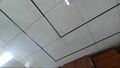
Camera 0
-
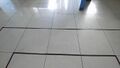
Camera 1
-

Camera 2
-
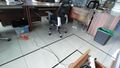
Camera 3
-
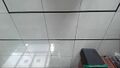
Camera 4
-

Camera 5


The output will look as follows.

Thor Performance
The performance obtained by this element is plotted in the following table for different resolutions. There you can compare the FPS, GPU% and CPU% usage.
| Resolution | Number of inputs | CPU (%) | GPU (%) | FPS |
|---|---|---|---|---|
| HD | 4 | 4.91558 | 47.05 | 327.887 |
| 6 | 4.81840 | 67.53 | 211.898 | |
| 4K | 4 | 6.74490 | 56.75 | 91.515 |
| 6 | 7.58170 | 75.18 | 65.635 |
Getting Started
To know more about the extension, please refer to the Bird's Eye view wiki page.
How to Purchase
For direct inquiries, please refer to the contact information available on our Contact page. Alternatively, you may complete and submit the form provided at the same link. We will respond to your request at our earliest opportunity.
Links to RidgeRun Resources and RidgeRun Artificial Intelligence Solutions can be found in the footer below.
ARTIFICIAL INTELLIGENCE
