
Birds Eye View - GStreamer - i.MX8 Pipelines


| ⇦ GStreamer/Jetson Pipelines | Home | Performance ⇨ |
 |
| Getting Started |
|---|
| How BEV Works |
| User Guide |
| Calibration Guide |
| Calibration Guide Legacy |
| GStreamer |
| Performance |
| Contact Us |
RidgeRun Bird's Eye View (BEV) on NXP i.MX8 uses a calibration file plus multiple synchronized camera inputs to generate a real-time top-down surround view. This page provides reference GStreamer pipelines for common i.MX8 workflows, including JPEG images, UDP H.264 streams, MP4 files, and V4L2 cameras. Use this page when you need i.MX8-specific pipelines that rely on hardware-accelerated decode, conversion, and encode elements such as v4l2h264dec, v4l2h264enc, and imxvideoconvert_g2d. For generic Linux examples, see Birds Eye View/GStreamer/Generic Pipelines. For NVIDIA-specific pipelines, see Birds Eye View/GStreamer/Jetson Pipelines.
Before using these examples, confirm that your calibration file matches the number of cameras, the camera order, and the input resolution used by your setup. If those values do not match, the BEV output will be incorrect even when the pipeline runs successfully. For setup guidance, see Birds Eye View/Calibration Guide and Birds Eye View/GStreamer/GstBEV Plugin.
| Input type | Goal | Recommended section |
|---|---|---|
| JPEG images | Generate a single BEV JPEG output | Birds Eye View from images |
| UDP H.264 streams | Save the BEV output to an MP4 file | Birds Eye view from UDP streams |
| UDP H.264 streams | Stream the BEV output over RTP/UDP | Birds Eye view from UDP streams |
| MP4 files | Decode, compose, and display the BEV output | Birds Eye view from MP4 files |
| V4L2 cameras | Validate live camera ingest and BEV graph behavior | Birds Eye View from V4L2 cameras |
Set up the Environment
Create or locate the calibration file first. For the examples below, we use an example calibration file included with the evaluation binaries which assumes a six-camera setup. Adjust the number of sources accordingly in your pipelines. We set the calibration file and the input image caps as environment variables as follows:
CALIBRATION_FILE=birds_eye_view.json
CAPS="video/x-raw,format=RGBA"
You'll notice that we deliberately don't specify the resolution in the caps, since it should be automatically picked up by the codecs.
Generate Birds Eye View from JPEG images
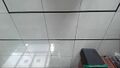
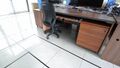
In this example, the pipeline will read the images presented in Fig. 1 and generate one single birds eye view image.
- Fig. 1: Example input images for generating birds eye view
-
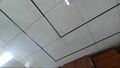 Camera 0
 -
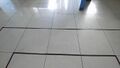 Camera 1
 -
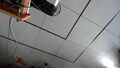 Camera 2
 -
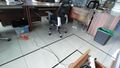 Camera 3
 -
 Camera 4
 -
 Camera 5


Note that there is one filesrc branch per camera image in the pipeline, all images are sent to the bev element and the output is stored as a jpeg image.
gst-launch-1.0   bev name=bev0 calibration-file="$CALIBRATION_FILE" \
    filesrc location=samples/bev_6_cameras/cam_0.jpg ! jpegdec ! videoconvert ! $CAPS ! queue ! bev0.sink_0 \
    filesrc location=samples/bev_6_cameras/cam_1.jpg ! jpegdec ! videoconvert ! $CAPS ! queue ! bev0.sink_1 \
    filesrc location=samples/bev_6_cameras/cam_2.jpg ! jpegdec ! videoconvert ! $CAPS ! queue ! bev0.sink_2 \
    filesrc location=samples/bev_6_cameras/cam_5.jpg ! jpegdec ! videoconvert ! $CAPS ! queue ! bev0.sink_3 \
    filesrc location=samples/bev_6_cameras/cam_4.jpg ! jpegdec ! videoconvert ! $CAPS ! queue ! bev0.sink_4 \
    filesrc location=samples/bev_6_cameras/cam_3.jpg ! jpegdec ! videoconvert ! $CAPS ! queue ! bev0.sink_5 \
    bev0. ! queue ! videoconvert ! video/x-raw,format=I420 ! jpegenc ! filesink location="$OUTPUT"
The expected output from the previous pipeline is presented in Fig. 2.

Generate Birds Eye view from UDP video streams
This section provides pipelines for reading the input video stream from UDP and saving the resulting birds eye view video as an MP4 recording or streaming it through UDP. The examples in this section assume that the input video streams are available in the UDP ports from 4000 to 4005.
Save the result to a MP4 file
The pipeline below receives six UDP streams, decodes them, uses the bev element to generate a single top-down view, encodes the result and saves it as a MP4 file.
gst-launch-1.0 -ve \
udpsrc port=4000 caps="application/x-rtp,media=video,encoding-name=H264,payload=96" ! rtph264depay ! queue ! h264parse ! v4l2h264dec ! imxvideoconvert_g2d ! $CAPS ! queue ! bev.sink_0 \
udpsrc port=4001 caps="application/x-rtp,media=video,encoding-name=H264,payload=96" ! rtph264depay ! queue ! h264parse ! v4l2h264dec ! imxvideoconvert_g2d ! $CAPS ! queue ! bev.sink_1 \
udpsrc port=4002 caps="application/x-rtp,media=video,encoding-name=H264,payload=96" ! rtph264depay ! queue ! h264parse ! v4l2h264dec ! imxvideoconvert_g2d ! $CAPS ! queue ! bev.sink_2 \
udpsrc port=4003 caps="application/x-rtp,media=video,encoding-name=H264,payload=96" ! rtph264depay ! queue ! h264parse ! v4l2h264dec ! imxvideoconvert_g2d ! $CAPS ! queue ! bev.sink_3 \
udpsrc port=4004 caps="application/x-rtp,media=video,encoding-name=H264,payload=96" ! rtph264depay ! queue ! h264parse ! v4l2h264dec ! imxvideoconvert_g2d ! $CAPS ! queue ! bev.sink_4 \
udpsrc port=4005 caps="application/x-rtp,media=video,encoding-name=H264,payload=96" ! rtph264depay ! queue ! h264parse ! v4l2h264dec ! imxvideoconvert_g2d ! $CAPS ! queue ! bev.sink_5 \
bev name=bev calibration-file="$CALIBRATION_FILE" ! queue ! imxvideoconvert_g2d ! $CAPS ! videoconvert ! video/x-raw,format=NV12 ! v4l2h264enc ! h264parse ! mp4mux ! filesink location="$OUTPUT"
Stream the result via UDP+RTP
Similarly to the previous example, the following pipeline receives six UDP video streams and generates the birds eye view. The resulting video stream is then encoded and streamed through UDP. You must set the HOST to the IP address and PORT to the UDP port of the birds eye view video receiver:
Sender
gst-launch-1.0 -ve \
udpsrc port=4000 caps="application/x-rtp,media=video,encoding-name=H264,payload=96" ! rtph264depay ! queue ! h264parse ! v4l2h264dec ! imxvideoconvert_g2d ! $CAPS ! queue ! bev.sink_0 \
udpsrc port=4001 caps="application/x-rtp,media=video,encoding-name=H264,payload=96" ! rtph264depay ! queue ! h264parse ! v4l2h264dec ! imxvideoconvert_g2d ! $CAPS ! queue ! bev.sink_1 \
udpsrc port=4002 caps="application/x-rtp,media=video,encoding-name=H264,payload=96" ! rtph264depay ! queue ! h264parse ! v4l2h264dec ! imxvideoconvert_g2d ! $CAPS ! queue ! bev.sink_2 \
udpsrc port=4003 caps="application/x-rtp,media=video,encoding-name=H264,payload=96" ! rtph264depay ! queue ! h264parse ! v4l2h264dec ! imxvideoconvert_g2d ! $CAPS ! queue ! bev.sink_3 \
udpsrc port=4004 caps="application/x-rtp,media=video,encoding-name=H264,payload=96" ! rtph264depay ! queue ! h264parse ! v4l2h264dec ! imxvideoconvert_g2d ! $CAPS ! queue ! bev.sink_4 \
udpsrc port=4005 caps="application/x-rtp,media=video,encoding-name=H264,payload=96" ! rtph264depay ! queue ! h264parse ! v4l2h264dec ! imxvideoconvert_g2d ! $CAPS ! queue ! bev.sink_5 \
bev name=bev calibration-file="$CALIBRATION_FILE" ! queue ! imxvideoconvert_g2d ! $CAPS ! videoconvert ! video/x-raw,format=NV12 ! v4l2h264enc ! h264parse ! rtph264pay config-interval=10 ! queue ! udpsink host="$HOST" port="$PORT"
You can use the following pipeline to receive and display the birds eye view stream:
Receiver
gst-launch-1.0 udpsrc port=$PORT ! 'application/x-rtp,media=video,encoding-name=H264' ! queue ! rtph264depay ! avdec_h264 ! videoconvert ! xvimagesink
Generate Birds Eye view from mp4 videos
The following pipeline reads the input from six mp4 videos, decodes them and applies the birds eye view. The result is sent to display. Make sure to set the INPUT_N variables to your corresponding input videos paths.
gst-launch-1.0 bev name=bev0 calibration-file="$CALIBRATION_FILE" \
    filesrc location="$INPUT_0" ! qtdemux ! h264parse ! v4l2h264dec ! imxvideoconvert_g2d ! $CAPS ! queue ! bev0.sink_0 \
    filesrc location="$INPUT_1" ! qtdemux ! h264parse ! v4l2h264dec ! imxvideoconvert_g2d ! $CAPS ! queue ! bev0.sink_1 \
    filesrc location="$INPUT_2" ! qtdemux ! h264parse ! v4l2h264dec ! imxvideoconvert_g2d ! $CAPS ! queue ! bev0.sink_2 \
    filesrc location="$INPUT_3" ! qtdemux ! h264parse ! v4l2h264dec ! imxvideoconvert_g2d ! $CAPS ! queue ! bev0.sink_3 \
    filesrc location="$INPUT_4" ! qtdemux ! h264parse ! v4l2h264dec ! imxvideoconvert_g2d ! $CAPS ! queue ! bev0.sink_4 \
    filesrc location="$INPUT_5" ! qtdemux ! h264parse ! v4l2h264dec ! imxvideoconvert_g2d ! $CAPS ! queue ! bev0.sink_5 \
    bev0. ! queue ! imxvideoconvert_g2d ! $CAPS ! videoconvert ! waylandsink sync=false
Generate Birds Eye View from live cameras
The following pipeline captures from six cameras, applies the birds eye view and sends the result to display. Make sure to set the video device ID and the caps property according to your own setup.
gst-launch-1.0 bev name=bev0 calibration-file="$CALIBRATION_FILE" \
 v4l2src device=/dev/video0 ! imxvideoconvert_g2d ! $CAPS ! bev0.sink_0 \
 v4l2src device=/dev/video1 ! imxvideoconvert_g2d ! $CAPS ! bev0.sink_1 \
 v4l2src device=/dev/video2 ! imxvideoconvert_g2d ! $CAPS ! bev0.sink_2 \
 v4l2src device=/dev/video3 ! imxvideoconvert_g2d ! $CAPS ! bev0.sink_3 \
 v4l2src device=/dev/video4 ! imxvideoconvert_g2d ! $CAPS ! bev0.sink_4 \
 v4l2src device=/dev/video5 ! imxvideoconvert_g2d ! $CAPS ! bev0.sink_5 \
 bev0. !  queue ! imxvideoconvert_g2d ! $CAPS ! videoconvert ! waylandsink sync=false
Related pages
- Birds Eye View
- Birds Eye View/Getting Started/Quickstart Guide
- Birds Eye View/Calibration Guide
- Birds Eye View/GStreamer/GstBEV Plugin
- Birds Eye View/GStreamer/Generic Pipelines
- Birds Eye View/GStreamer/Jetson Pipelines
- Birds Eye View/Performance/NXP iMX8
- Birds Eye View/Contact us
References
- Birds Eye View
- Birds Eye View/GStreamer/GstBEV Plugin
- Birds Eye View/Performance/NXP iMX8
- MediaWiki WikiSEO extension
- GStreamer documentation
FAQ
- How do I verify that the required i.MX8 GStreamer plugins are installed?
- Run
gst-inspect-1.0forbev,v4l2h264dec,v4l2h264enc, andimxvideoconvert_g2d. If any element is missing, install or enable the corresponding multimedia packages in the target image. - Where can I find performance data for Bird's Eye View on NXP i.MX8?
- See Birds Eye View/Performance/NXP iMX8 for measured CPU use, memory use, latency, GPU utilization, and framerate information for selected i.MX8 configurations.
Need help adapting these i.MX8 pipelines to your board, camera topology, or deployment target? See Birds Eye View/Contact us or contact RidgeRun directly.